I have a lot of conversations with LLMs. Not just code generation sessions, but actual thinking conversations where I'm working through an idea, testing a framing, or trying to get a concept to click. The good ones produce these moments where something lands and I want to hold onto it.
The problem is that those moments live inside a chat window that's about to get buried. The conversation scrolls, a new thread starts, and that one thing I wanted to revisit is somewhere in the middle of a session I had three weeks ago. I've tried copying things into notes, but then I lose the context. The snippet makes sense when I can see what led to it. Pulled out on its own, it's half a thought.
Prise is a desktop app I built to solve this. It gives you a local LLM to think with and a spatial canvas to organize what comes out of that thinking, with a thread back to where each piece originated.
The shape of it
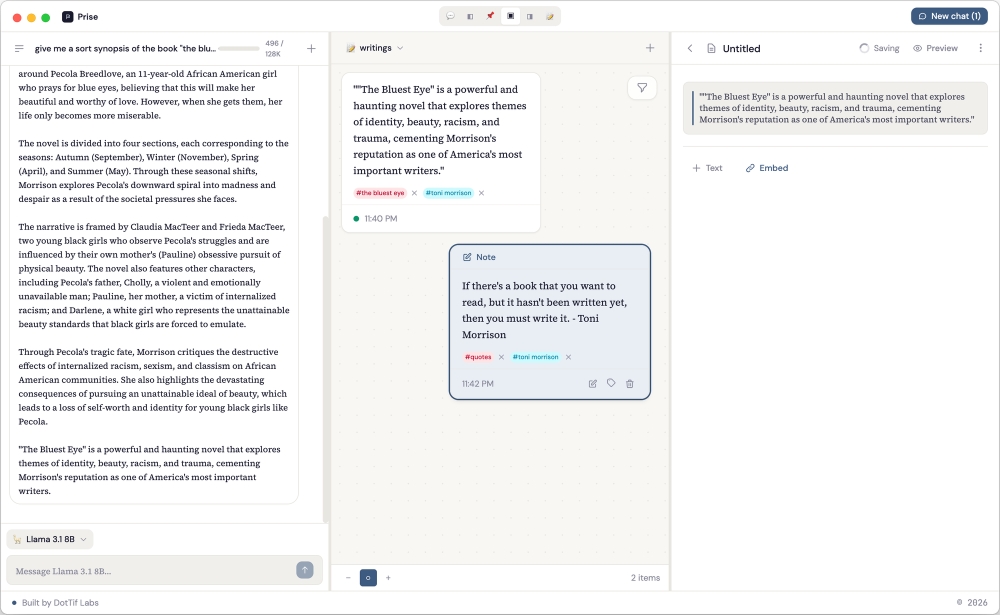
Prise has three panels that you can rearrange depending on what you're doing.
The left panel is a conversation. You're talking to a local model running on your machine through Ollama. You pick the model you want, and you just start thinking out loud with it.
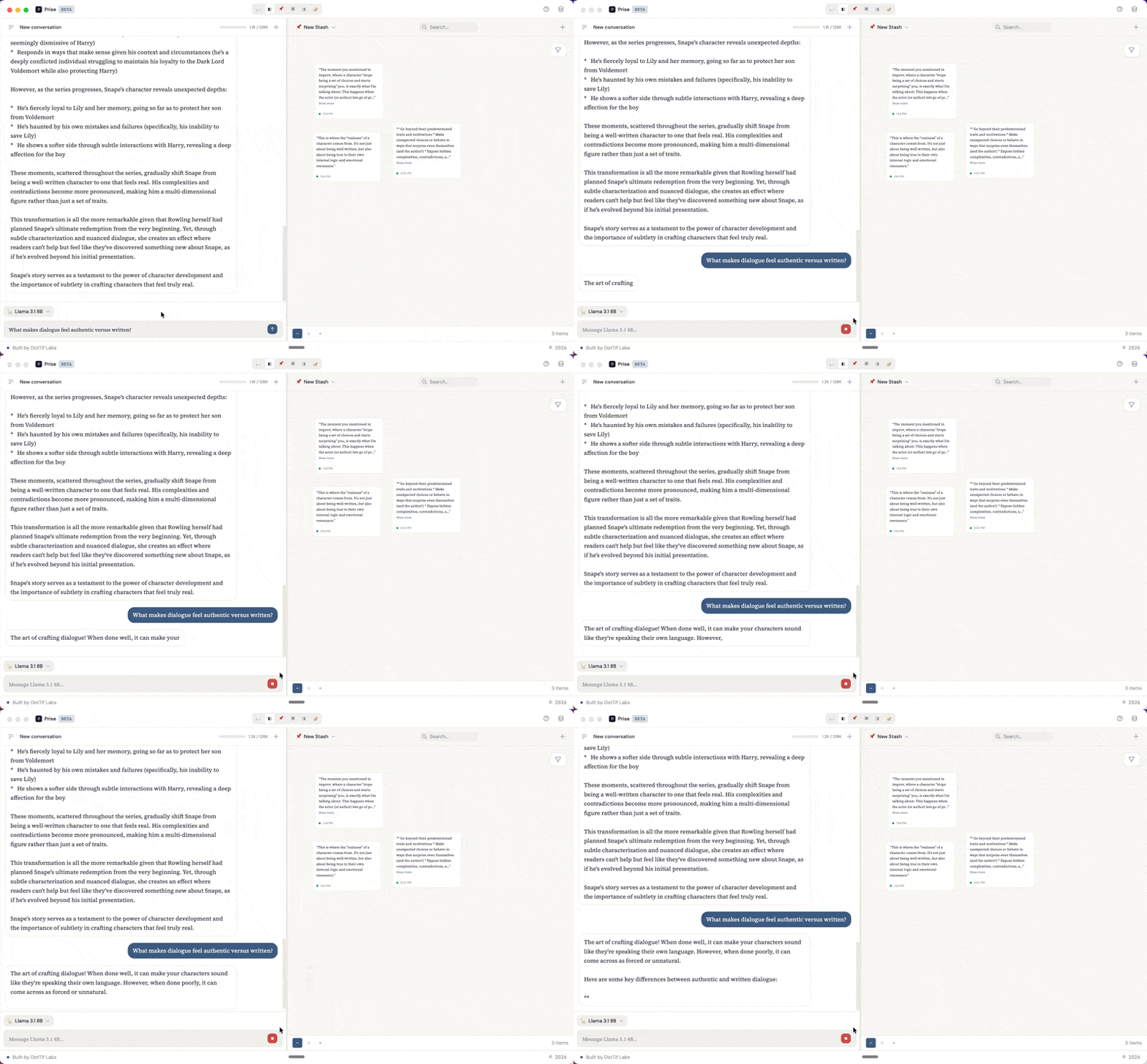
The middle panel is the stash: a spatial canvas where you collect and arrange the pieces that matter. You can highlight a response from the conversation and it becomes a snippet on the canvas, or you can add free-form notes. Each snippet carries metadata and a link back to the exact line in the conversation it came from. The right panel is for writing. Drafts are built from blocks: text blocks for your own prose and snippet embeds that pull in material directly from the stash. You can reorder blocks, weave your notes into longer form writing, and keep your source material visible in the stash panel while you work.
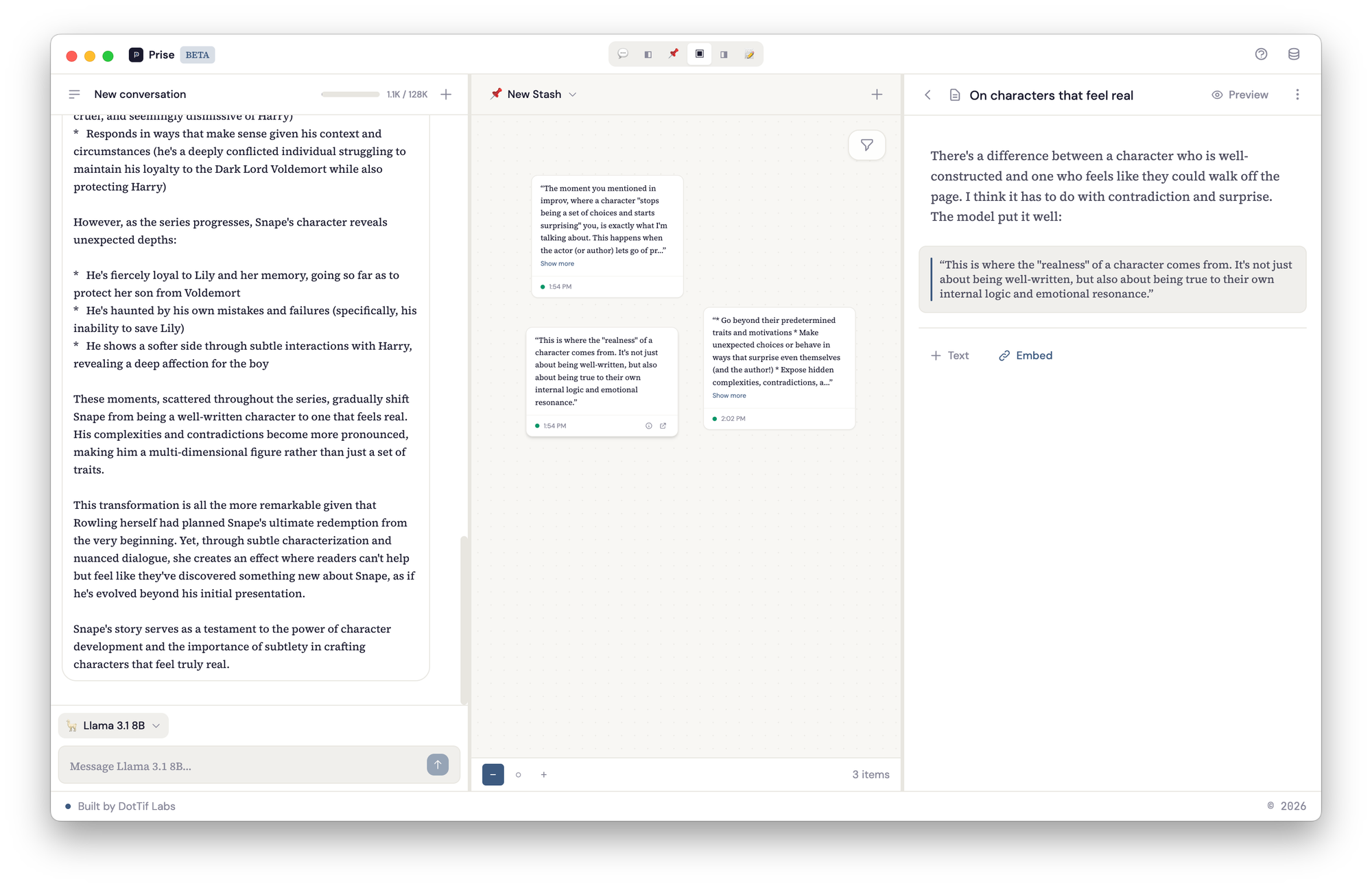
You don't have to use all three at once. You might go into writing-only mode, or spend a session just looking at your stash and rearranging notes in space, clustering related ideas or spreading everything out like an infinite desk. You can create new stashes for different threads of thinking, copy a snippet to a different stash when it belongs to a new line of inquiry.
It also works for use cases I didn't originally plan for. Journaling, for one: have a conversation with the model about how your week went, stash the parts that feel worth sitting with, and over time you have a canvas of your own recurring themes. Or writing: keep a stash for a project you're working on, pull snippets into the draft panel, and use the conversation to help with editing and consistency across a longer piece.
Under the hood
The whole thing runs locally. No servers, no accounts, no data leaving your machine.
flowchart TB
  subgraph Electron["Electron App"]
    direction TB
    subgraph Main["Main Process"]
      IPC["IPC Handlers<br>(namespaced channels)"]
      DB["SQLite via better-sqlite3<br>(conversations, messages,<br>snippets, notes, stashes,<br>drafts, draft_blocks, tags)"]
      OL["Ollama Client<br>(streaming via async generator)"]
    end
    subgraph Renderer["Renderer Process"]
      direction TB
      UI["React + TypeScript"]
      State["Zustand Store<br>(ui | conversations | canvas<br>| drafts | models | providers)"]
      Panels["Panel Layout<br>(6 view modes with<br>draggable dividers)"]
    end
    Preload["Preload Scripts<br>(window.stashed.invoke)"]
  end
  LLM["Ollama Server<br>(localhost:11434)"]

  UI --- State
  State --- Panels
  Renderer <-->|"contextBridge"| Preload
  Preload <-->|"ipcMain.handle"| IPC
  IPC <--> DB
  IPC <--> OL
  OL <-->|"HTTP /api/chat"| LLM
Electron as the shell
Electron gives you two processes: a main process that handles system-level things like file access and database connections, and a renderer process that runs the UI. They can't talk directly to each other for security reasons, so everything goes through IPC (inter-process communication) with a preload script acting as the bridge.
I know Electron carries opinions. It's heavy, and the Chromium overhead is real. But for a project like this where the UI needs direct access to the filesystem and a local database, it's still the most practical path.
SQLite for storage
SQLite handles everything Prise needs. It's an embedded database, so there's no server to run — just a single file on disk, accessed directly through better-sqlite3 in the main process. Conversations have messages, messages produce snippets with character offsets, snippets live on stashes, and drafts are composed of ordered blocks that can reference those snippets.
erDiagram
    providers {
        int id PK
        string name
        string type
    }
    models {
        int id PK
        int provider_id FK
        string api_identifier
        string emoji
        int context_window
    }
    conversations {
        int id PK
        int model_id FK
        string title
        datetime created_at
    }
    messages {
        int id PK
        int conversation_id FK
        string role
        text content
    }
    snippets {
        int id PK
        int message_id FK
        int stash_id FK
        int model_id FK
        text content
        int start_offset
        int end_offset
        string source_id
        float position_x
        float position_y
    }
    stashes {
        int id PK
        string name
    }
    notes {
        int id PK
        int stash_id FK
        text content
        float position_x
        float position_y
    }
    tags {
        int id PK
        string name
    }
    snippet_tags {
        int snippet_id FK
        int tag_id FK
    }
    note_tags {
        int note_id FK
        int tag_id FK
    }
    drafts {
        int id PK
        string title
    }
    draft_blocks {
        int id PK
        int draft_id FK
        string type
        text content
        int snippet_id FK
        int sort_order
    }
    providers ||--o{ models : offers
    models ||--o{ conversations : powers
    models ||--o{ snippets : identifies
    conversations ||--o{ messages : contains
    messages ||--o{ snippets : produces
    stashes ||--o{ snippets : holds
    stashes ||--o{ notes : holds
    snippets ||--o{ snippet_tags : has
    notes ||--o{ note_tags : has
    tags ||--o{ snippet_tags : labels
    tags ||--o{ note_tags : labels
    drafts ||--o{ draft_blocks : contains
    snippets ||--o{ draft_blocks : embeds
Ollama for local inference
The other connection is to Ollama, the local model server, which the main process talks to over HTTP on localhost. You download the models you want and run them on your own hardware. Models are auto-detected at runtime, so pulling a new one into Ollama makes it immediately available in Prise.
Chat responses stream in through an async generator on the main process side, with chunks forwarded to the renderer via webContents.send() so the response appears token by token.
The renderer
The renderer is a React app with TypeScript. Zustand manages the state through slices: ui for view mode and zoom level, conversations for chat data and streaming state, canvas for snippets and notes with their spatial positions, and drafts for the writing panel. Zustand over Redux because the state management needs here are straightforward and Zustand gets out of the way, split cleanly into slices for each domain.
Tailwind handles styling with DM Sans for the interface and Source Serif 4 for content. The panel layout supports six view modes: you can show any single panel, any pair (chat-stash, stash-draft), or all three at once, with draggable dividers between them.
How a snippet gets created
This is the part of the architecture I keep coming back to, because it ties the conversation to the canvas while keeping a clean reference chain.
flowchart LR
  A["User highlights<br>chat response"] --> B["SelectionTooltip<br>appears with Save"]
  B --> C["IPC: snippets:create"]
  C --> D["Main process writes<br>to SQLite"]
  D --> E["Snippet stored with:<br>text, message_id,<br>start_offset, end_offset,<br>source_id, position_x/y"]
  E --> F["Snippet appears<br>on spatial canvas"]
  F --> G["Click source →<br>scrolls to original<br>message + highlights"]
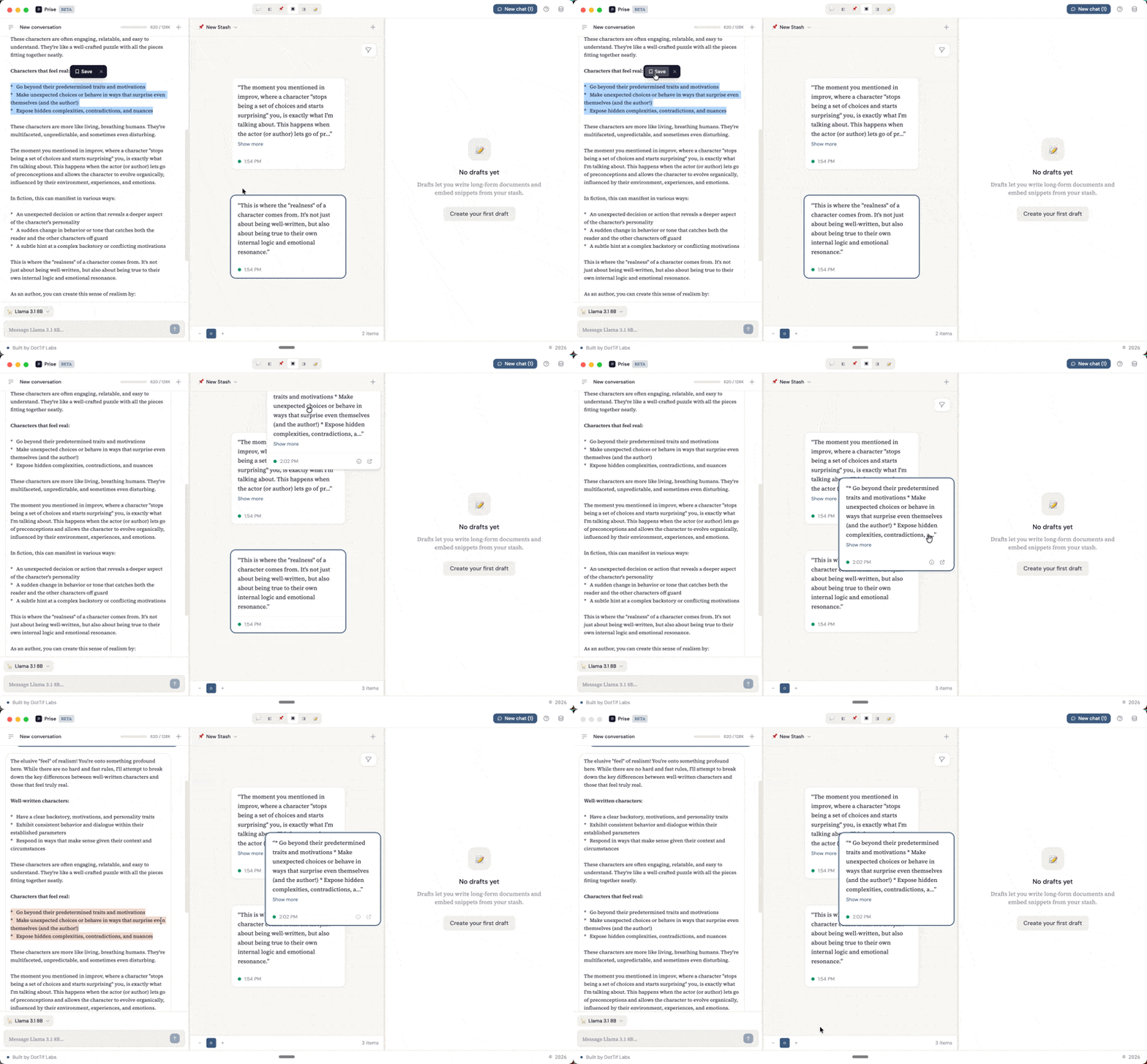
When you highlight part of a response in the chat panel, a SelectionTooltip appears with a Save button. That selection becomes a snippet — stored with a reference back to the exact message and character range it came from. Click its source link later, and the app scrolls to the original message and highlights the text.
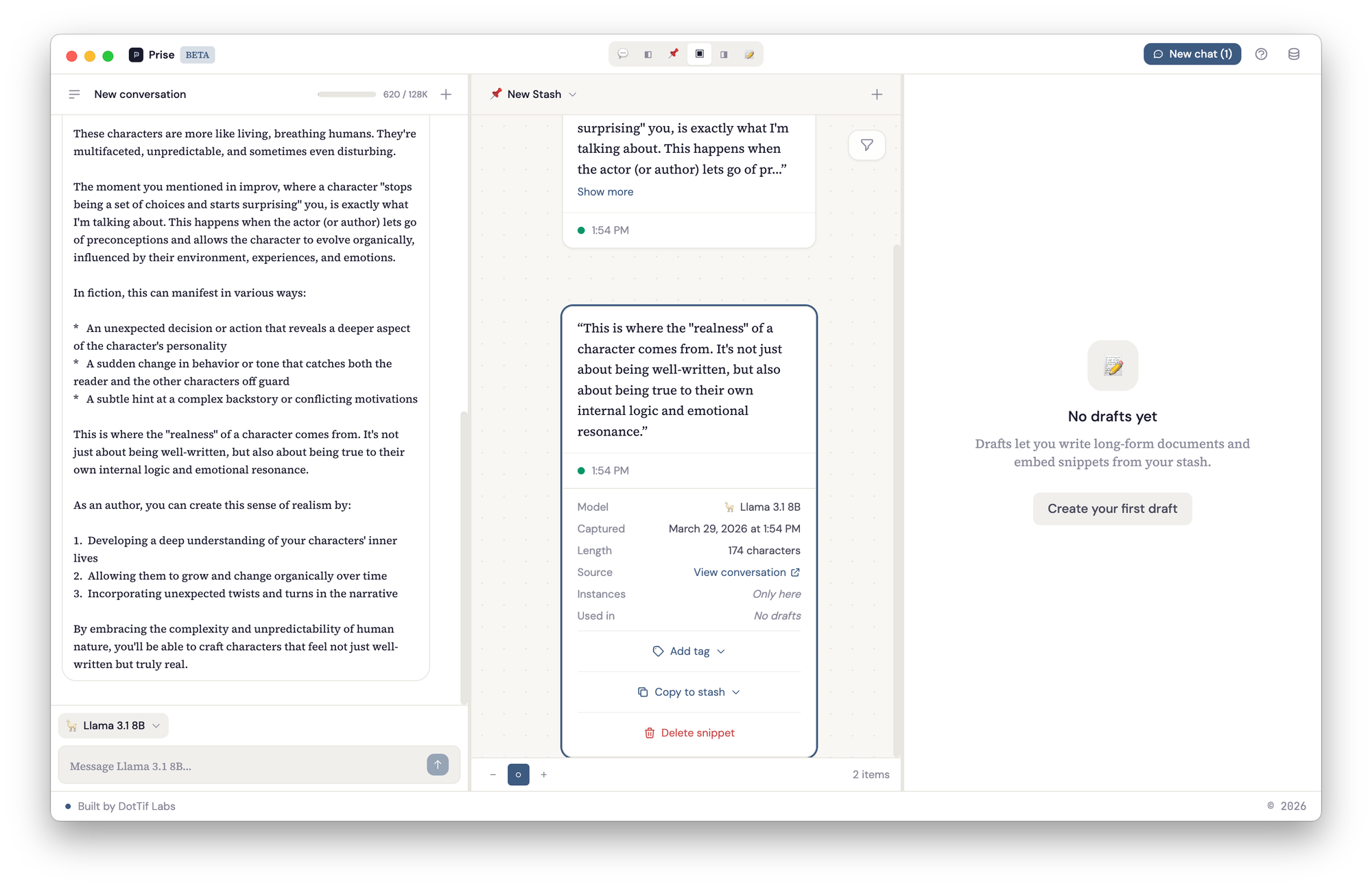
This is the part that matters to me. I wanted to be able to look at a note six months from now and trace it back to the full conversation that produced it. I wanted to be able to say "here's the thinking that led to this, and I can re-enter it."
Where it actually is
It's working. Not available for download yet — still in beta on my machine — but the core workflows are there:
- Have conversations with local models through Ollama
- Highlight any part of a response and save it as a snippet to your canvas
- Arrange snippets and notes spatially on canvases
- Tag and annotate snippets
- Click a snippet's source link to jump back to the exact message it came from
- Pull snippets into drafts alongside your own writing
- Export drafts as markdown
Next up:
- Bring-your-own-key support — plug in an API key for Claude or ChatGPT instead of running a model locally. Right now Prise requires Ollama, which means you need to be comfortable pulling and running models yourself. BYOK removes that barrier.
- Landing page and early access — there's a page at useprise.app, working toward getting it in front of people for feedback.
- Custom system prompts — shape the model's tone for specific use cases like journaling or editing.
- Snippet pages — a dedicated view for a single snippet showing everywhere it's been used: which stashes it lives on, which drafts reference it, with space to annotate and add notes directly on the snippet itself.
The open questions are more about the spatial canvas than the infrastructure. How should clustering work when you have hundreds of notes? Should the app suggest connections between snippets, or is that the kind of thing that's better left to the person doing the thinking? How much should the LLM be involved in organizing, versus just being the conversation partner?
Coming soon: getting Prise signed, packaged, and ready for download — and open sourcing the codebase. The build pipeline, Apple Developer Program, and whatever else it takes to go from "works on my machine" to something you can actually try.